What Is an Access Control System?
An access control system determines who can enter a building, open a door or access a specific area. It verifies a person’s identity, checks whether they have permission to enter and then opens or keeps the door closed. It can also record entry attempts, creating a record of who accessed which area and when.
In a housing society, access control goes beyond the main entrance. It can manage entry at the boom barrier, pedestrian gates, tower lobbies, lifts, basement parking, clubhouse, gym and swimming pool.
A typical access control system has three main components.
1. Credential: How a person proves their identity
A credential could be a face, resident app, ID card, visitor pass, vehicle RFID tag or vehicle number plate.
2. Device: The hardware that controls entry
This includes the readers, flap gates, boom barriers and other devices installed at access points. They read the credential and control entry.
3. Software: The system that makes the decision
The software checks the person’s identity, access permissions and applicable community rules before allowing or denying entry.
The biggest advantage comes when all these components work together on one connected platform linked to the community’s resident, staff and visitor records.
For example, when a tenant moves out, their access can be revoked across all connected doors through a single update. The society does not have to update every device separately.
This is what separates a connected access control system from a collection of individual locks and readers.
Why Does a Housing Society Need an Access Control System?
Many housing societies already have security guards, access cards or biometric devices. The problem is that these systems often work independently, making access difficult to manage consistently.
Here are six common challenges that an access control system can help address.
1. High Security Guard Costs
Every entrance that requires manual checking may need a dedicated guard. This creates a recurring expense, particularly at clubhouse doors, gym entrances and other common facilities.
A guard stationed at a gym entrance alone can cost a community around ₹2.4–3 lakhs annually.
Automating routine entry checks can reduce the need for guards at these access points, allowing them to focus on security incidents and emergencies.
2. Unauthorised People Entering the Community
Guards cannot always identify everyone who belongs in a community. A stranger may walk in confidently, while a former tenant or domestic worker may continue entering because they are familiar to the security team.
Visitors may also gain access to amenities intended only for residents.
An access control system verifies permissions before allowing entry instead of relying entirely on manual judgment.
3. Every Device Has a Separate Access List
This is one of the most common problems in housing societies.
The boom barrier, clubhouse reader, lift controller and lobby entrance may each maintain a separate list of authorised people. When a tenant moves in or out, someone must update every device individually.
If even one update is missed, a new tenant may be denied entry while a former tenant may continue using the gym.
A connected access control platform solves this by linking all access points to the same community records. One update can then be applied across all connected doors.
4. Community Rules Are Difficult to Enforce
Housing societies often have rules governing amenity timings, resident-only areas, service lifts and access restrictions for residents who have outstanding dues.
When these rules depend on a guard checking records manually, enforcement becomes inconsistent and requires additional manpower.
A smart access control system can apply these rules automatically, based on the conditions configured by the management committee.
5. No Reliable Entry Records
Internal entry points such as the clubhouse, gym, pool and party hall often have no entry records at all. Nobody notes who used the gym, at what time, or who walked into the pool area. Where a paper register exists, it depends on handwriting and on a guard remembering to fill it in.
So when something goes wrong, such as damaged equipment, a missing item, an unauthorised guest or a dispute over who booked a facility, the committee has nothing to check. The investigation comes down to guard memory and guesswork.
An access control system keeps a digital log of every attempt at every door, internal ones included. It records who tried to enter, which door they used, when, and by which method. That gives the committee a reliable record to review incidents, and it shows which facilities are used most and at what times.
6. Lost Cards and Complicated Registration
Access cards can be lost, shared or misused. They may also remain active after a resident moves out if the system is not updated.
Some biometric systems require residents to register separately at every device, making implementation time-consuming.
Modern access control systems can simplify registration through a connected platform and support multiple entry methods, depending on the person’s role and the access point.
What Are the Benefits of an Access Control System for Housing Societies?
A well-designed access control system improves security while making everyday entry easier for residents, staff and visitors.
Better access security: Only authorised people can enter specific areas. Access decisions follow defined permissions rather than depending entirely on manual checks.
Lower guard dependency: SmartAccessHub communities see up to 70% less guard dependency at clubhouse, lobby and amenity doors. Each guard replaced at an access point can save around ₹2.4–3 lakhs annually.
Faster move-ins and move-outs: When all access points are connected, a resident’s permissions can be activated or revoked across the community through one update.
Automatic rule enforcement: The system can enforce dues-based restrictions, amenity timings and resident-only access without requiring manual intervention at every door.
Digital entry logs: The management committee gets a record of entry attempts, access points, timestamps and entry methods.
Convenience for residents: Residents can use supported methods such as face recognition or the resident app instead of carrying an access card everywhere. Face recognition entry can take around 0.6 seconds.
Better use of security staff: By automating routine entry checks, the system allows guards to focus on monitoring, incidents and emergencies.
The common thread behind these benefits is connectivity. Automating one door can improve entry at that location. Connecting every access point to the same community records allows one update to reach every door.
What Are the Different Types of Access Control Systems?
Housing societies can choose from several access methods. Each has its own advantages, and the right choice depends on the access point, the people using it and the level of control required.
1. Manual Entry Using a Guard and Register
A security guard checks a person’s identity and records their details in a register before allowing entry.
This method is familiar and requires little hardware. However, it depends heavily on the guard’s judgment, creates recurring staffing costs and may not provide reliable digital entry records.
2. Access Cards
Residents tap an access card against a reader to enter a building or facility.
Cards are simple and quick to use. However, they can be lost, shared or misused. If access is not updated after a move-out, an old card may continue working.
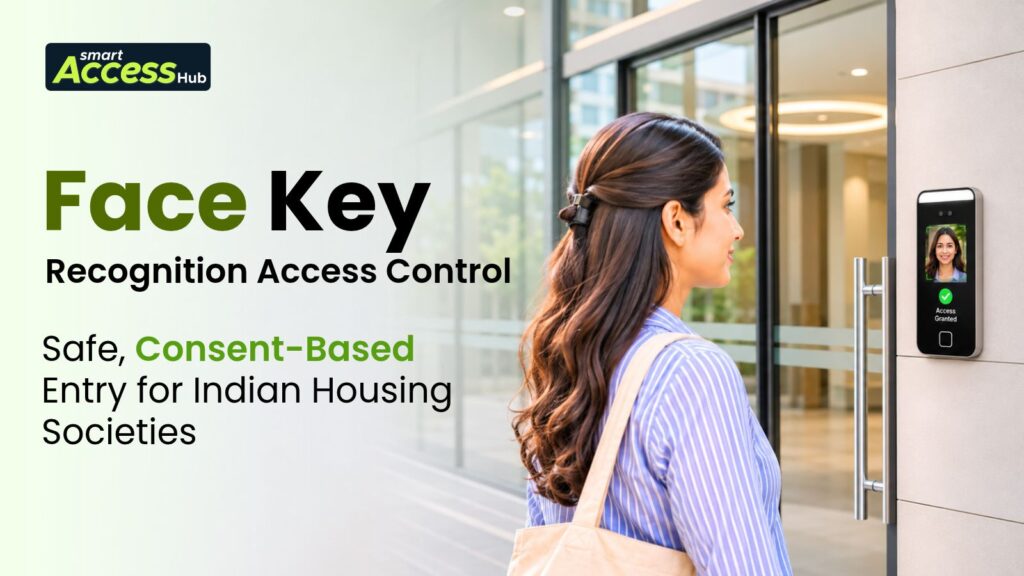
3. Face Recognition
A face recognition device identifies an authorised person when they approach an access point.
It offers touchless entry without requiring residents to carry cards or phones. However, the system should be designed around consent, secure data storage and an alternative entry method for residents who do not wish to use face recognition.
4. Resident App or QR-Based Access
Residents use their mobile app or a digital QR-based credential to gain entry.
This removes the need for a separate physical card and makes access easier to issue or revoke. However, app-based entry depends on the phone being available, so societies may benefit from offering an alternative method.
5. Staff ID Cards with QR Codes
Domestic staff and community employees can use system-issued ID cards containing QR codes.
These credentials can be configured to work only at specific doors and during permitted hours. Centralised management is important so lost, returned or deactivated cards stop working as intended.
6. Time-Limited Visitor Passes
Visitors and delivery agents receive passes that allow access only to designated areas and for a defined duration.
For example, a delivery agent may be authorised to enter one tower rather than the entire community. The pass can expire automatically after the permitted period.
These passes work best when connected to the society’s visitor approval process.
7. Vehicle RFID Tags
A vehicle-mounted RFID tag is read by a compatible reader at the entrance, allowing the boom barrier to open for registered vehicles.
This enables quick, hands-free vehicle entry. However, the registered vehicle list must remain updated so that old tags do not continue working after a vehicle owner moves out.
8. Automatic Number Plate Recognition (ANPR)
ANPR uses a camera to read a vehicle’s number plate and check it against the list of registered vehicles.
Residents can enter without using a separate RFID tag or card. The system still needs accurate, up-to-date vehicle records to avoid missed reads and unauthorised entry.
Standalone vs Connected Access Control Systems: What Is the Difference?
Choosing the right credential is only part of the decision. How the system is built is equally important.
Standalone Access Control Systems
A standalone system maintains a separate list of authorised people on each device.
For example, the boom barrier may have one list, the clubhouse reader another, and the lift controller a third. Whenever a resident moves in or out, the relevant lists must be updated individually.
This creates more manual work and increases the risk of missed updates.
Connected Access Control Systems
A connected system links all access devices to one central platform. When someone requests entry, the system checks their identity, access permissions and applicable community rules before deciding whether to open the door.
Because the platform is connected to live resident, staff and visitor records, an authorised change can be reflected across all connected access points.
For housing societies, this connection is often more important than the individual access method.
A face recognition reader that is not connected to the community’s records may simply replace an access card. A connected platform can also manage move-outs, visitor permissions, amenity rules and access restrictions across multiple doors.
Which Access Control System Works Best at Each Place in a Housing Society?
Different areas of a residential community have different access requirements. The main gate handles pedestrian and vehicle entry, while lifts control floor access and amenity doors need to enforce bookings, timings and community rules.
Here is how societies can approach each access point.
1. Main Gate: Pedestrian Entry
The main pedestrian entrance is often the busiest access point in a community. Manual checks can create queues during peak hours, and guards may find it difficult to verify every person entering.
A connected flap gate system can automate pedestrian entry.
Residents can use face recognition or the resident app, staff can use authorised ID cards, and visitors can enter using passes issued after approval.
This helps verify entry permissions while reducing dependence on manual checks.
2. Main Gate: Boom Barrier Access Control
Vehicle access requires a system that allows registered vehicles to enter quickly while directing unrecognised vehicles for approval.
RFID tags and automatic number plate recognition are two common options.
When connected to the society’s vehicle records, these systems can activate access for a new tenant’s registered vehicle and revoke access when a former tenant moves out.
This reduces manual updates and helps prevent unauthorised vehicles from entering.
3. Tower Lobby Access Control
Tower lobbies need to ensure that residents, staff and visitors enter only the areas they are authorised to access.
Face recognition or app-based access can make entry convenient for residents, particularly when their hands are full. Staff permissions can be limited to the towers they work in.
Visitors can receive passes that allow entry to the specific tower they are visiting, rather than the entire building.
4. Lift Access Control for Apartments
Securing the main gate is not enough if anyone who enters the building can access every floor.
Lift access control adds another layer of verification. A device inside the lift cabin can check a person’s permissions and restrict the floors they can access.
Residents can be given access to their permitted floors, while delivery agents and vendors can be limited to the floor they need to visit.
The system can also record successful and denied access attempts, helping the community maintain a clearer entry trail.
5. Basement and Parking Access Control
Basements often face problems such as unauthorised parking, parking slot misuse and vendor vehicles moving through areas without proper monitoring.
RFID tags or number plate recognition can verify registered vehicles at the basement boom barrier. Separate verification at basement doors can ensure that only authorised residents and staff enter pedestrian areas.
When the system is connected to community records, vehicle permissions can be updated centrally when a resident moves out.
6. Clubhouse, Gym, Swimming Pool and Party Hall
Amenity access requires more than verifying someone’s identity. The system must also check whether that person is allowed to use the facility at that time.
A connected access control platform can enforce rules such as:
- Dues-based restrictions: Restrict amenity access when a resident crosses the dues threshold configured by the management committee, and restore access when the restriction is lifted.
- Resident-only areas: Limit access to facilities or zones reserved for residents.
- Operating hours: Allow entry only during permitted timings, such as a gym operating from 5 AM to 10 PM.
- Booking-based access: Allow a resident to enter a badminton court or party hall only during their booked time slot.
A basic card reader cannot independently enforce these rules because it does not necessarily know a resident’s dues status, booking details or permitted access hours.
A connected system brings identity verification and community rules together, allowing amenity access to be managed automatically.
How SmartAccessHub Simplifies Access Control for Housing Societies
SmartAccessHub connects common access points across a residential community through one platform.
It supports face recognition, app-based ID, visitor passes and connected access rules across gates, lobbies, lifts, basements and clubhouse amenities.
Instead of managing separate access lists for every device, the community can manage permissions through connected resident, staff and visitor records.
This helps simplify move-ins and move-outs, automate access restrictions and reduce the manual work involved in managing everyday entry.
Request a demo to see how SmartAccessHub works in your community.