TL;DR
The problem: Cards get lent and registers get faked. But committees hold back on face recognition because registering is a hassle, faces often have to be re-registered, residents can’t opt out, and privacy practices are vague.
How is SmartAccessHub’s Face Key different? Residents register, re-register and opt in or out from the app, at home. The door device keeps only an encrypted code of the face, the privacy protocols are clearly laid out, and anyone who’d rather not use Face Key can use the QR code key in the same app.
The outcome: Entry that’s tied to the actual person, with residents’ data handled the way India’s DPDP Act expects.
Why don’t access cards or typical face recognition systems work well for housing societies?
A card or a register entry only proves that someone is holding a card or wrote down a name. It doesn’t prove that person lives in the society.
Rajan is on the MC of a 400-flat gated community. Last month, a tenant who had moved out in the summer was still using his old card to get into the clubhouse. At the main gate, Ramesh and the other guards do their best, but they can’t put a face to every name across six towers. And in the gym register, half the entries are signatures nobody can read.
When the MC proposed face recognition, Rajan was the first to push back. He had seen it at a friend’s society, and the problems started with registration itself:
- Registering is a hassle. Residents have to go to the device to register their face, and it isn’t always easy to get right.
- Faces stop being read. If the face was captured in poor light, the device may not recognise it properly the next time. The resident has to go back to the device and register all over again.
- There’s no way to opt out. A resident who isn’t comfortable registering their own face, or their child’s, has no other option.
- Privacy is vague. Is the device encrypting the data? Are photos stored on the device itself? Nobody can give residents a clear answer.
These are fair concerns. They come from how most face recognition systems are set up, not from the idea of face-based entry itself.
Face Key in SmartAccessHub is built around each of them:
- Register from home. Residents enrol from the SmartAccessHub app, without going to the device. If their face isn’t being read well, they re-register or update it from the app.
- Opt in or out at any time. Using Face Key is each resident’s choice, and they can switch it on or off from the app.
- A clear view of where it’s used. Residents can see exactly which doors and devices use their Face Key.
- Clear privacy protocols. The device keeps only an encrypted code of the face, never a photo, and every consent is recorded.
- Another key in the same app. Residents who’d rather not use their face can use the QR code key in the SmartAccessHub app.
What is Face Key recognition access control, and how does it work?
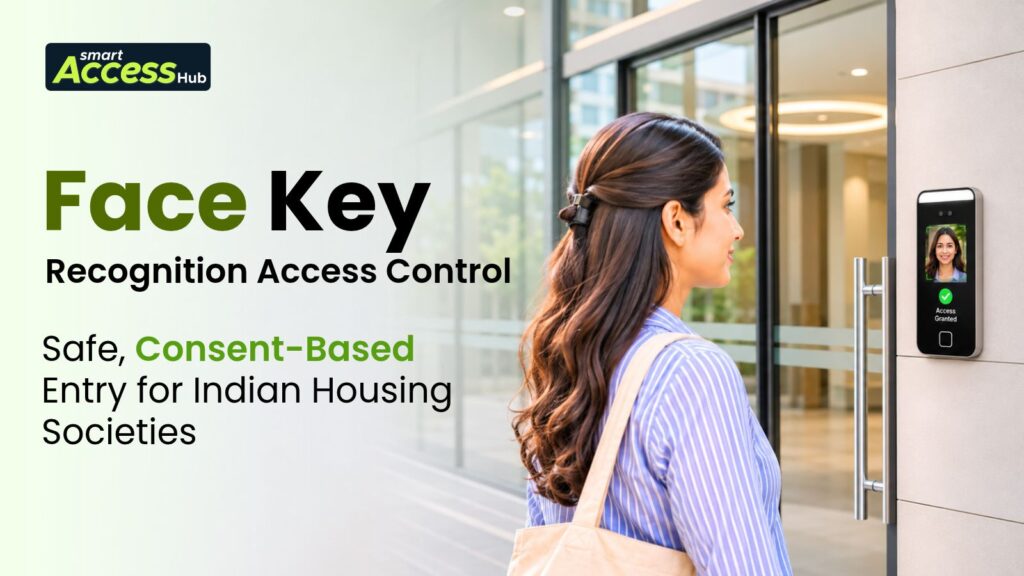
Face Key opens a door or gate when it recognises an enrolled resident standing in front of it. There’s no card, no key and no need to stop at the guard desk.
A small camera enabled access control device is fitted beside the main gate, a tower lobby door, a lift or the clubhouse entrance. The device decides on its own, using details it received when the resident enrolled.
Step 1: The resident enrols from the app
The resident registers their face from the SmartAccessHub app, at home, and sees which doors it will cover before confirming. There’s no need to go to the device. The central system then sends the registration details to the door devices in advance.
Step 2: The device keeps only a code
The device converts the registration photo into a mathematical code and stores only that code, in encrypted form.
Step 3: The resident walks up to the door
The device compares the face in front of it with the stored code. If they match, the door opens. The image captured at the door is used for that one check and is never saved.
Step 4: Only what’s needed is logged
- A successful entry is logged.
- A stranger whose face doesn’t match is simply denied. Nothing about them is stored.
- A blacklisted or restricted user who tries to enter has that attempt recorded.
Is face recognition safe for residents’ data in an Indian housing society?
Yes, when three things hold: the face data is stored securely, each resident chooses to enrol, and the system follows India’s data protection law.
Where is the face stored, and in what form?
The door device keeps only an encrypted code of the face, never the photo itself. That code means nothing to anyone without the system that reads it.
The registration photo is stored in encrypted form on the central server. This is how SmartAccessHub’s ABRA biometric framework works: the face is captured once at registration and kept encrypted, and the image captured at the door is used for a single check and never saved.
This is the first thing to ask about any system: where is the photo kept, and in what form? A stolen plain photo can be reused anywhere. Encrypted data is far harder to misuse.
What does the DPDP Act expect from a society?
Under the Digital Personal Data Protection (DPDP) Act, 2023, a face template counts as personal data. The DPDP Rules, notified in November 2025, turn the Act into day-to-day duties. The society that deploys the system is the data fiduciary, so if a complaint comes up, it lands on the MC first.
In practice, the society must:
- Give a clear notice and get free, informed consent before collecting any face data
- Use the data only for the stated purpose, which here is entry
- Delete the data once that purpose ends, for example when a resident moves out
- Keep reasonable security safeguards in place
- Report any breach to the Data Protection Board of India and to the people affected
The penalties are civil, but they’re significant. Failing to maintain reasonable safeguards can attract penalties of up to ₹250 crore. For children, the Act also requires verifiable consent from a parent or guardian.
How does resident consent work?
Consent has to come from the resident, not from the committee. In SmartAccessHub:
- Each resident registers from the app and sees which doors and devices use their Face Key before confirming.
- They can opt in or out from the app at any time. Opting out deletes their data from the server and from every access device.
- Residents who’d rather not register a face, their own or a child’s, can use the QR code key in the same app instead.
- Every consent action is time-stamped and can be audited.
What are the benefits of SmartAccessHub’s Face Key access control?
The society knows who is coming in, and residents know their data isn’t being collected without their say.
For the MC
- Access that matches who actually lives in the society, not who happens to hold a card
- Ex-tenants and former domestic staff lose access at every door at once, with nothing left to update by hand
- A clear consent trail to show residents, or anyone else who asks, how face data is handled
- Less pressure on guards to recognise every face across every tower
For residents
- Walk-in entry, with no card to forget at home or misplace
- Register, re-register or update their face from home, without going to the device
- No photo kept on the door device, and no image saved at the door
- Opt in or out whenever they like, from the app
- A QR code key in the same app for anyone who’d rather not use Face Key
What does Face Key look like in a society that uses it?
Rajan’s society started with one door: the clubhouse entrance. Before enrolment opened, the MC held a residents’ meeting in the clubhouse hall and walked through where the face code is stored, what gets logged and how to withdraw.
Anita from A-704 registered that evening from the app, sitting at home. She saw that her registration covered the clubhouse door only, and confirmed. The next morning she walked up to the door and it opened. Her neighbour in A-705 chose not to enrol at all. He uses the QR code key in the same app.
Three months later, the society extended Face Key to the main gate and tower lobbies. When a tenant in B-wing moved out, his access ended at every door the day his move-out was recorded. Ramesh no longer had to remember who had left.
Rajan’s concerns had clear answers too. Nobody had to register at a device, residents could opt in or out from the app, the society could show every consent with a timestamp, and no resident’s photo sat on any door device.
How do you roll out Face Key access control in your society?
Residents enrol themselves from the SmartAccessHub app, and the MC chooses which doors to start with. [Menu path to confirm: where Face Key enrolment sits in the resident app.]
A short checklist before you go live:
- Start with one door. Pilot at the clubhouse or one tower lobby. Extend to the main gate once residents are comfortable.
- Hold a residents’ meeting before enrolment opens. Questions are easier to settle face to face than in a WhatsApp group. The SmartAccessHub team can help you prepare answers to the questions residents usually ask.
- Decide who can see access logs, and for how long they’re kept. Limit viewing to named MC members.
- Data ownership is already settled. With SmartAccessHub, the data belongs to your community, and SmartAccessHub only looks after it. There is monetisation as SmartAccessHub’s revenue comes entirely from subscriptions, never from advertising or data.
- Bring compliance questions to the SmartAccessHub team. If the MC has questions about DPDP, data security or certifications, the team will give you clear answers in writing. You can share them with residents too.
Frequently asked questions
What is face key recognition access control? It’s an access system that opens a gate or door when it recognises an enrolled resident’s face, with no card, key or guard needed.
Do residents have to go to the device to register their face? No. With SmartAccessHub, residents register, re-register or update their face from the app, at home.
Is face recognition legal for housing societies in India? Yes, if the society follows the DPDP Act, 2023. That means clear notice, free and informed consent, use only for entry, deletion when the purpose ends, reasonable safeguards and breach reporting.
Who is responsible for residents’ face data under the DPDP Act? The society is the data fiduciary, so it carries the main responsibility. That’s why the system it chooses should make consent, deletion and security simple to manage.
Can a resident refuse or withdraw from face recognition? Yes. Using Face Key is each resident’s own choice, and they can opt in or out from the app at any time. Opting out deletes their data from the server and every access device. Residents who don’t use Face Key can use the QR code key in the same app.
What happens if the system doesn’t recognise a resident? They can re-register their face from the app, without going to the device. Until then, they can use the QR code key in the same app. Staff use ID cards, and visitors get time-limited passes.
What happens to a resident’s face data when they move out? Under the DPDP Act, the data should be deleted once the purpose ends. Their access is also switched off at every door together.
Choosing face recognition your residents can trust
Face Key recognition is a safe choice for an Indian housing society when it’s built and run responsibly. Getting a door to recognise a face is the easy part. The more important choice is a system that treats a resident’s face as something they lend to the community, with their consent, and can take back whenever they want.
To see how SmartAccessHub handles Face Key access in a live community, request a demo.